
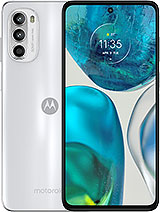
Motorola G52 repair Amsterdam
Choose a repair for your Motorola G52 below. If you are unsure of the cause, discuss the fault before booking.
Choose your Motorola G52 repair
Motorola G52 repair with a choice that fits
You use the G52 to send messages, view photographs and stay reachable. An unreliable screen or a phone that constantly needs charging gets in the way. Fixed choices here cover the screen, battery, charging port, microphone and liquid cleaning. Discuss rear-cover or camera damage first, because those repairs have no fixed prices on this model page.
Start with when the fault appeared
Did it begin immediately after a drop, gradually during ordinary use or following moisture exposure? Include that history when contacting us. With a broken display, other functions matter too: did audio change at the same time, does charging still work normally and can you unlock the device? You do not need a technical answer. A clear description prevents a screen selection being mistaken for a solution to everything.
Screen replacement: describe what you cannot do now
Can you no longer tap the top of an app, do keyboard keys stick or does a patch obscure text? Give one or two recognisable examples. A damaged protector can present a different situation from damage to the display itself. Leave loose or broken layers in place and ask what is actually affected if you are unsure.
Before the repair, discuss which screen replacement is proposed and which functions you want to review afterwards. Include a damaged corner or opening in the body. The G52 does not have separately priced cover variants here. Work on a damaged rear therefore needs prior discussion, even if you are already visiting for the screen.
Battery behaviour and the USB-C connector
Battery and port prices appear as separate repairs in the menu. For short running time, explain the behaviour after charging. Is the percentage initially normal before dropping suddenly, or does charging sometimes fail to begin? For the second problem, mention the cable and adapter used. Bring them if the fault occurs with that combination.
Motorola also describes USB-C as the connection for file transfer. Mention a phone that charges but is no longer recognised by your computer. That does not establish that the socket needs replacing; the cable, settings and circumstances matter too. Avoid pressing metal into the connector to try to restore contact.
Microphone: voice messages, calls or a headset?
Explain microphone trouble through what another person hears from you. Is your voice quiet, distorted or missing words? Say whether this occurs during calls, in recorded messages or only with an accessory connected. The G52 has a headset socket as well as USB-C. Identify which connection you are using when you notice the fault.
If you struggle to hear the other person, ask about sound playback instead. That has no fixed amount here. An unresponsive button is another separate enquiry. Motorola places the fingerprint sensor with the power button, so explain whether unlocking fails at the sensor, when pressing the button or when touching the display.
Moisture and possible additional damage
Water damage cleaning has its own price. Explain which liquid was involved and what happened afterwards. Did the phone remain on, was it charged or did functions fail only later? Cleaning does not automatically include every component that moisture may have affected. Any further repairs need discussion first. Keep a wet phone off and do not connect it to power.
Arrange work for your G52
A Plus Repair works from the shop at Haarlemmerdijk 178A, 1013 JK Amsterdam. Customers from Amsterdam-Oost can bring their devices to this address. Call 020 331 7206 to discuss the work and scheduling. Repairs carry a six-month warranty. Make a backup where possible and ensure you know how to unlock the phone.
For another Moto G, use the phone model overview. The G42 has different priced repair choices, so check the complete name before selecting.